Your Pix key in Apple Wallet
Get paid by Pix without spelling out your key: show the card and the other person scans the QR code in their bank app. Colinha builds the card on your iPhone, with your key, your name and the Pix QR code.
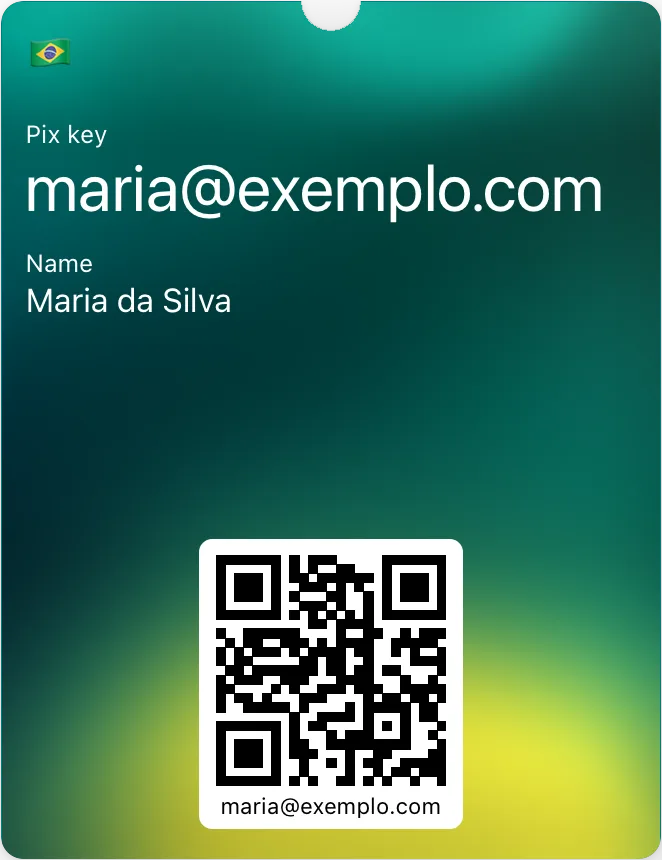 Create my Pix card
How it works
- Open colinha.xyz in Safari on your iPhone and swipe to the Pix card.
- Enter your key (CPF, CNPJ, phone, email or random key), your name and your city.
- Tap “Add to wallet”. To get paid, open the card and show the QR code.
Questions
Who sets the amount?
The person paying. The QR code is static with no amount: they type it in their bank app and see your name before paying.
Is it safe to show the QR code?
It holds only what you share when you give out your key: the key, your name and your city. Nothing leaves your iPhone when you create the card.
Does it work with every bank?
The QR code follows the Central Bank’s Pix standard. The back of the card also has the “Pix copy and paste” code.
Is it free?
Yes. No sign-up and no ads.
Does it work on Android?
iPhone only, for now.