Your CPF in Apple Wallet
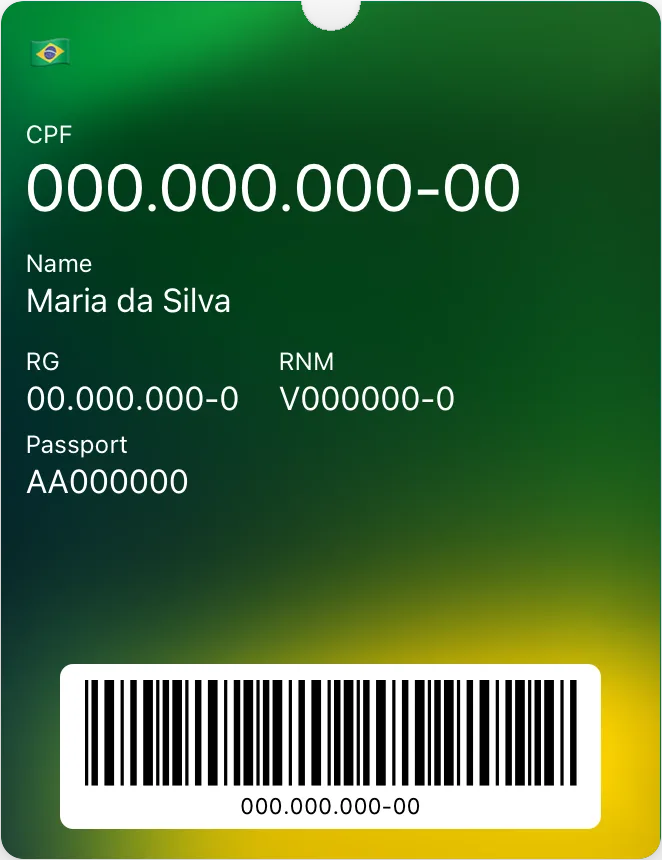
New to Brazil? You will be asked for your CPF at the pharmacy, at checkout and on every form. Colinha turns it into an Apple Wallet card with a barcode, built on your own iPhone.
 Create my CPF card
How it works
- Open colinha.xyz in Safari on your iPhone.
- Tap the CPF card and enter the number and your name. RG, RNM and passport are optional.
- Tap “Add to wallet”. The card stays in Wallet and opens in two taps, even offline.
Questions
Is it safe?
Your data never leaves your iPhone. The card is built on the device; to sign it, as Apple requires, only an unreadable 32-byte fingerprint is sent.
Is it free?
Yes. No sign-up and no ads.
Is it an official document?
No. It is a cheat sheet to remember and show your numbers; it does not replace your documents.
Can I add my RNM and passport?
Yes. They go on the same card, under your CPF.
How do I change it later?
On the back of the card, tap “Edit this card”. Colinha opens with your details, and the new card replaces the old one.
Does it work on Android?
iPhone only, for now.